Product
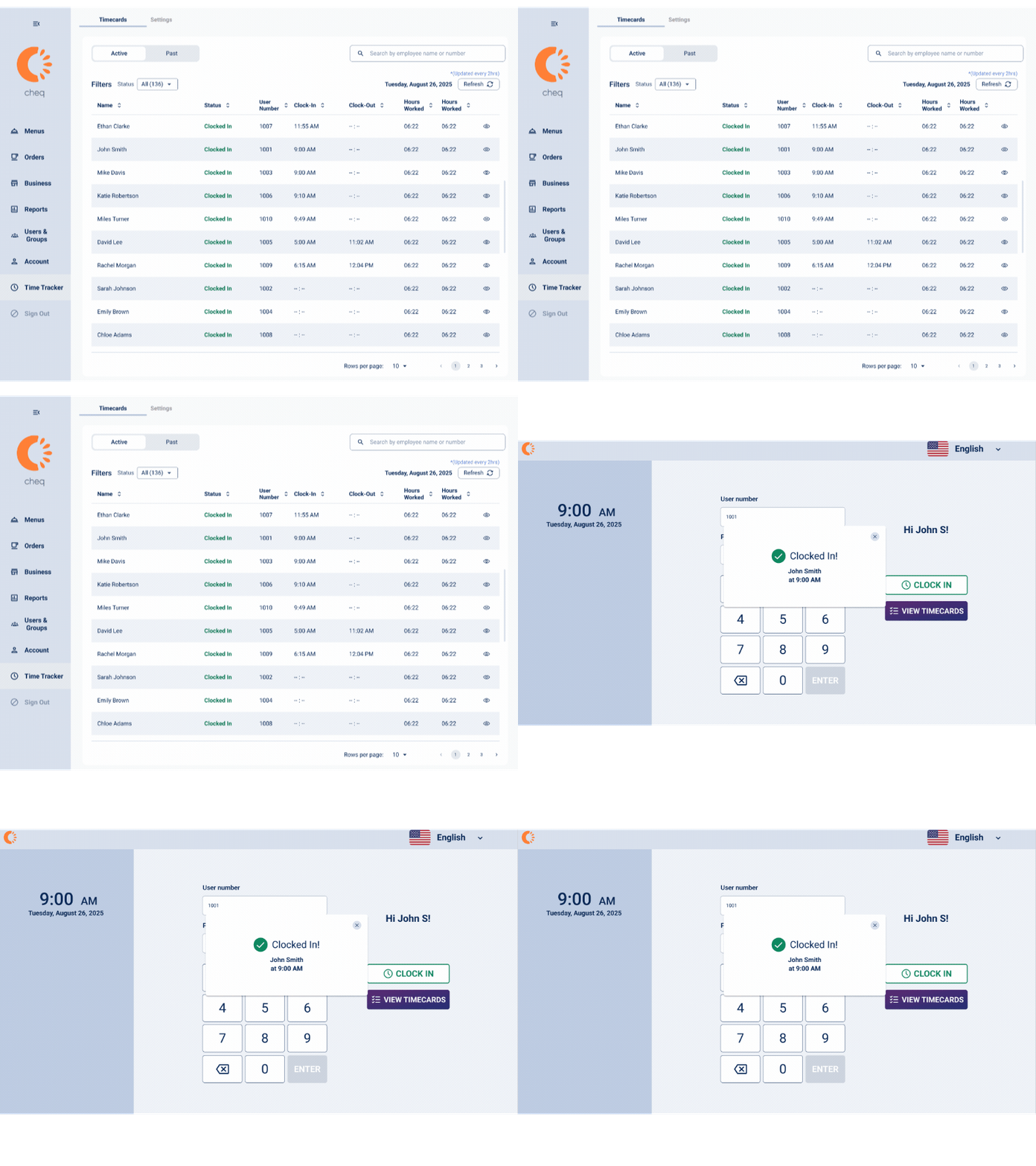
Introducing the New Time Clock
Track staff hours without leaving your POS. Clock in/out, manage timecards, and streamline operations — all inside Cheq. Ask your CSM to enable it.
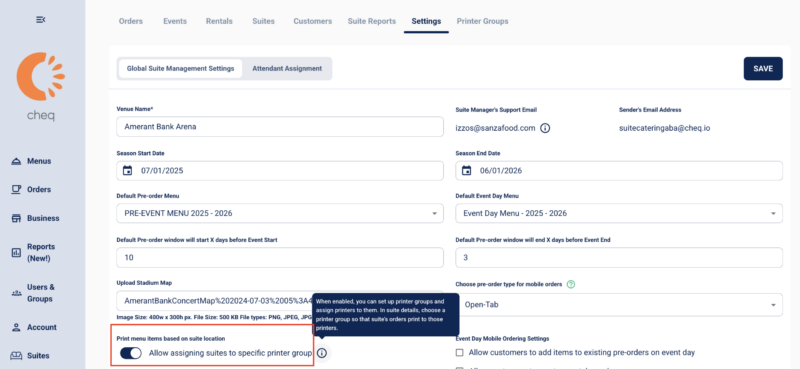
Printer Groups
Managing multiple kitchen points across your Venue? The new Printer Group feature gives you total control over order flow. Now available for all Suites Users, you can designate exactly which items & orders print at which locations – ensuring every ticket lands in the right hands.
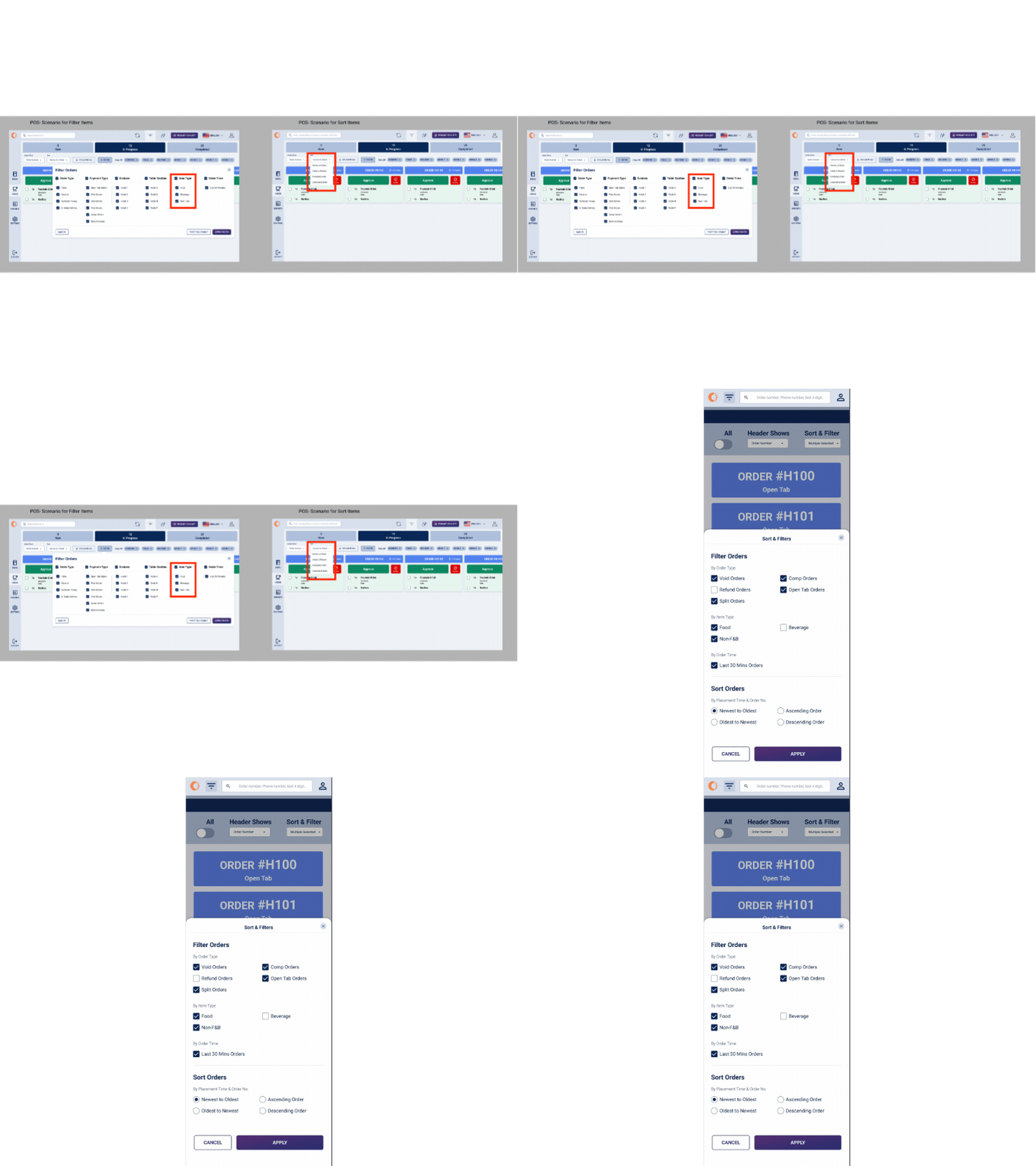
Filter orders tab by Item Type
Need to customize what item type your KDS devices show the kitchen/expo staff? Look no further. Now available in the Orders tab (POS/KDS, HH), users can select Item Type in the filter list to streamline operations for front and back of house. Ensure all SKUs are tagged with the appropriate ‘Item Type’ to certify that all items filter accurately on POS/HH.
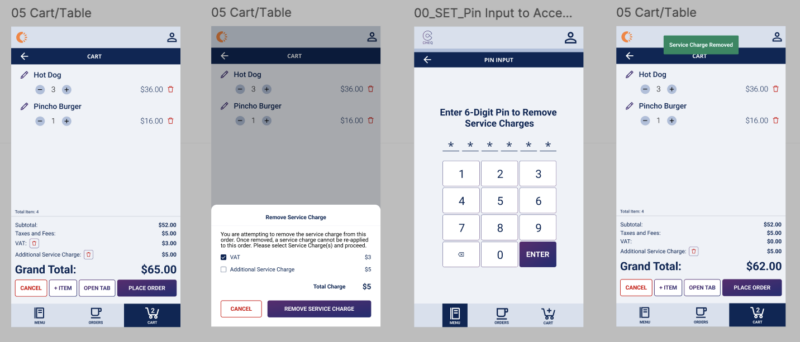
Remove Service Charge with Admin Pin
Have a special customer who shouldn’t be charged the additional Service Charge but don’t want to affect all other Suite customers? Now available on POS/HH, Suite Admins can now remove the additional Service Charge from the cart with an Admin pin to ensure guest satisfaction and ease of reporting.
Platform
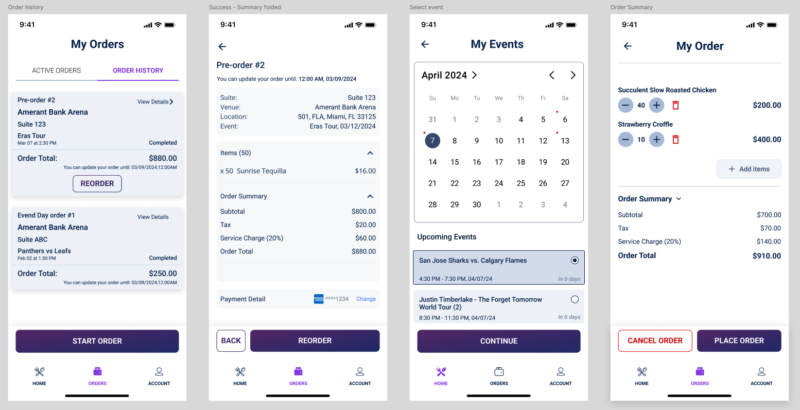
Reorder option now available for suite pre-orders
Directly from the orders tab in SWA, Admins & Customers can ‘Re-order’ a previous pre-order, saving time for admins and customers who would otherwise have to place the same order for every event. After logging in users can select the ‘Orders’ tab at the bottom navigation bar and choose ‘Re-order’. Users will be prompted to choose any event with an active pre-order window. When the user selects an event, they will be taken directly to the cart where they can review/edit the cart and place the order.
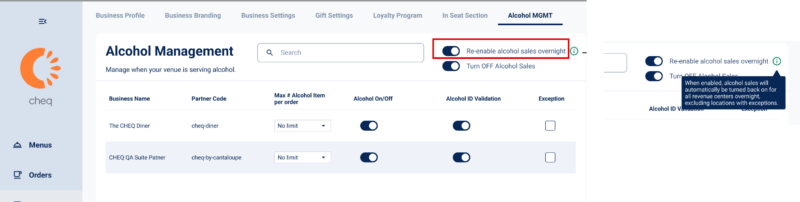
Auto Reset Alcohol Management Toggle
Mark another item off your game day to do list with this toggle. When the ‘Re-enable alcohol sales overnight’ toggle is ON in the ‘Alcohol MGMT’ tab, any changes made to Alcohol sales will automatically reset overnight. Instead of having to manually re-enable alcoholic items, this toggle streamlines users’ ‘Last Call’ and Menu Management flow.
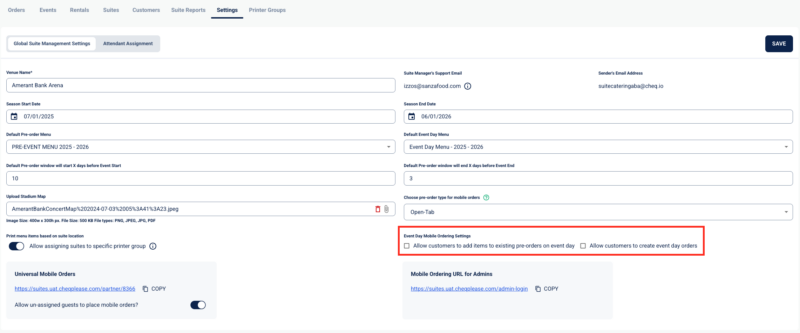
Admins can now determine Guest game day order operations
Avoid unwanted customer updates and orders by pre-determining the Suite Guest order flow. Don’t want to allow customers to edit existing pre-orders? Only want to allow new event day orders on Game Day? Easily set these settings in Suite Settings with the click of a button.
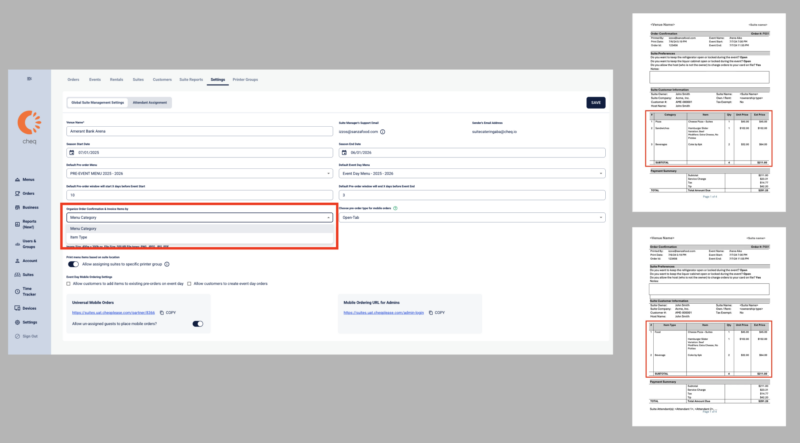
Order Confirmation & Invoice enhancements
Customize Suite Order Confirmation & Invoice to show Menu Category or Item Type, allowing Suite Admins to have more control and customization capabilities during pre-event order operations. Additionally, Order Confirmation/Invoice now show modifier group selections to ensure that the entire order detail is relayed to BOH.
Bulk Reporting Category Assignment
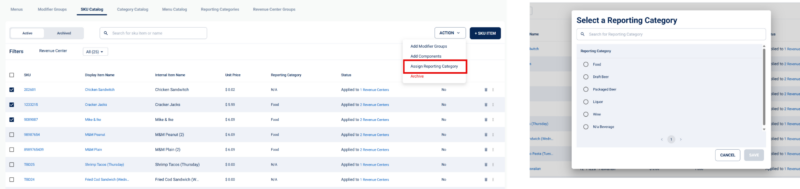
Assign (or re-assign) reporting categories directly from the SKU Catalog Page on a bulk level. Instead of having to update each SKU Individually, users can now assign a Reporting Category to 1+ SKUs at a time, avoiding extra clicks and enhancing user experience.
Setting to receive email notifications for suite pre-order/preference changes
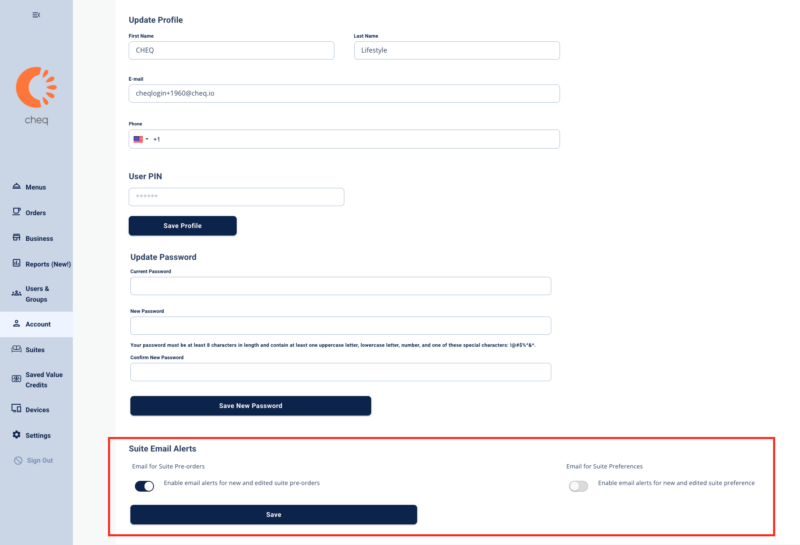
Do you need to be notified when a guest places and/or changes a new/existing pre-order in the system? Do you need to know when Suite Preferences are updated? Now introducing Suite Admin Email notifications, found in the ‘Account’ tab. Get notified immediately after a Customers adds/changes Pre-Orders and/or Preferences via the ‘Suite Email Alerts’ section of the account tab. Note: The email will be sent to the email Suite Admins use to login to PWA.
Exclude Food, Beverage or Alcoholic items from any discount
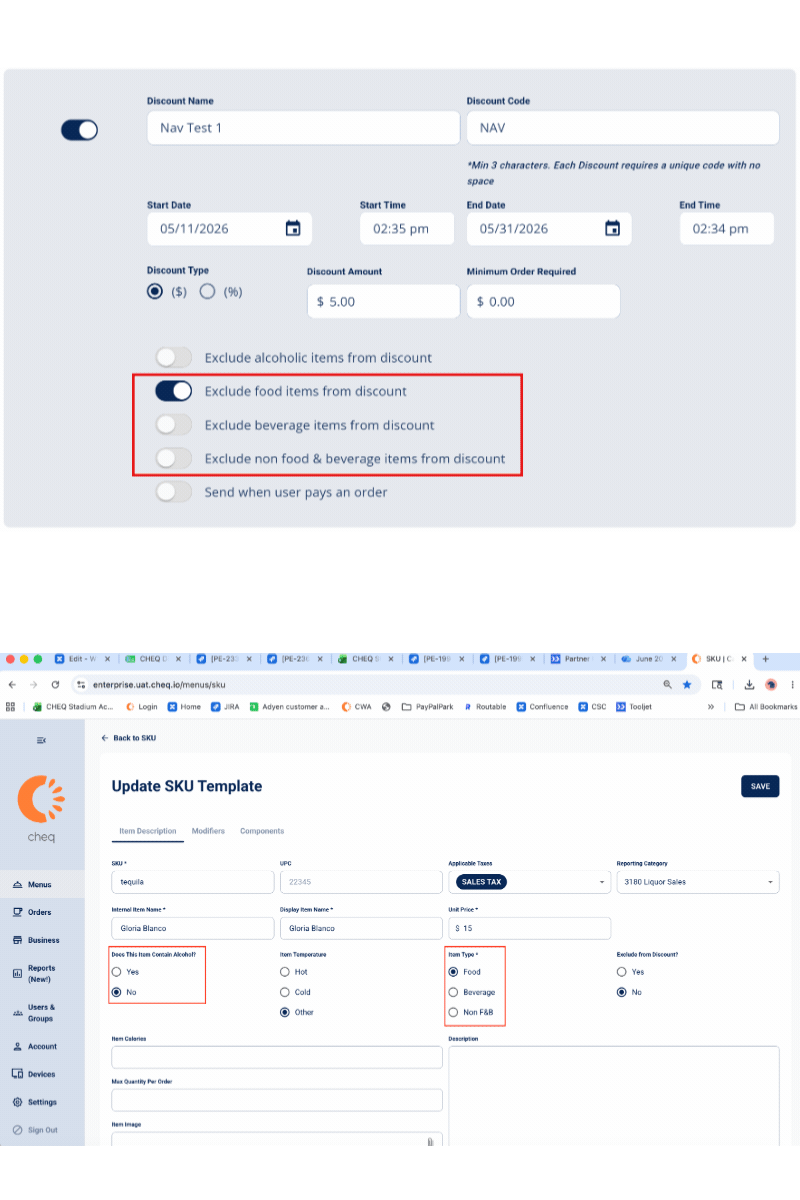
Now expanding the ‘Exclude Alcoholic Items from discount’ toggle, users can also exclude ‘Food’, ‘Beverage’ or ‘Non F&B’ items from any discount. This feature allows users to ONLY discount a specific item type on an entire cart (EX: 10% off all beverages (only) in cart even if the cart has food items as well). Note: Confirm all SKUs are tagged as the appropriate item type to ensure discounts apply to desired items.
Reporting
Offline Device Reporting
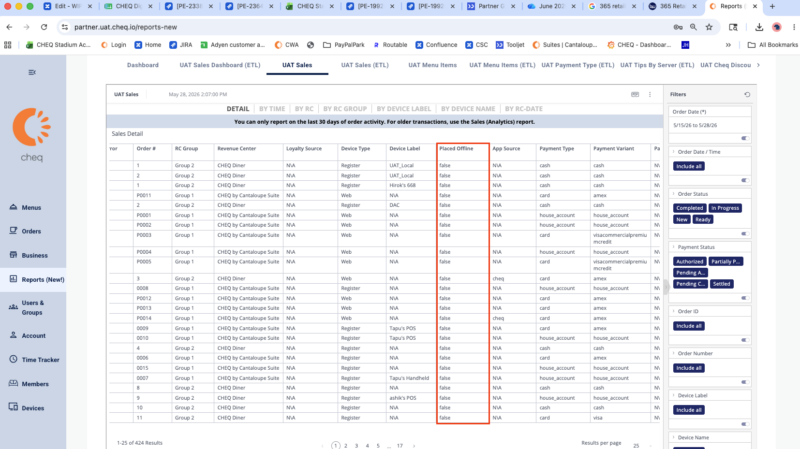
Tackle offline devices as soon as you access reports with the new ‘Placed Offline’ column in the Sales report. If a device shows as ‘TRUE’ in the offline column, that indicates the device is offline and needs to be physically reconnected to power or network. ‘False’ indicates the order was placed when the device was online, and no action needs to be taken.
Discount Reporting Enhancements
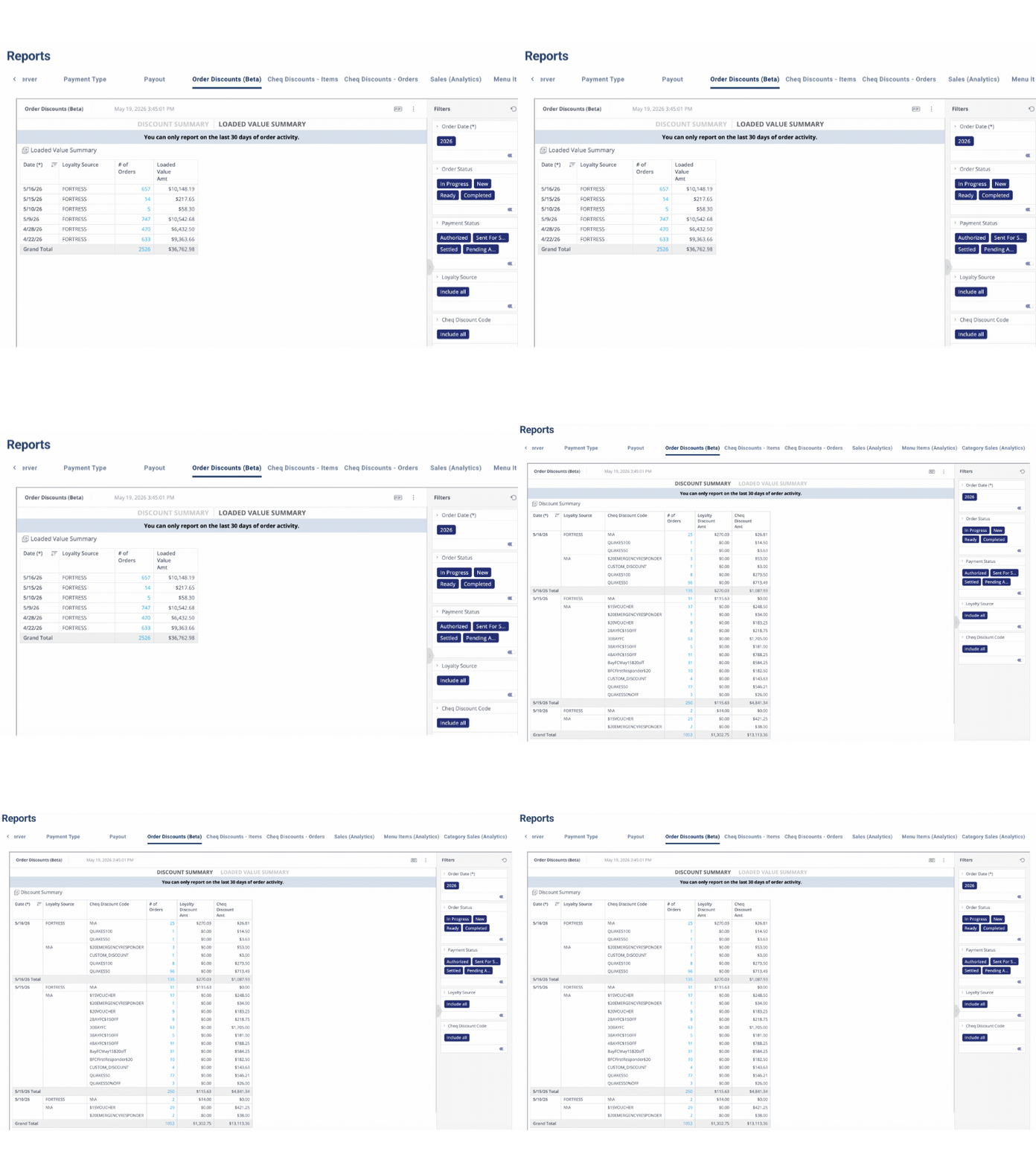
Successfully manage discounts from a more detailed perspective with the new ‘Order Discounts (Beta)’ Report. This report allows users to identify exactly which discounts (Cheq or Loyalty) were applied to which orders. Users can drill down into the individual order receipts for both Discounts & Loaded Value.
Sales Report Enhancements
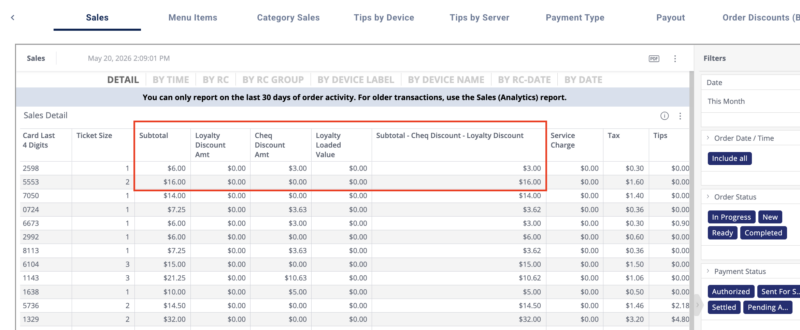
Formerly the ‘Discounts’ column in the Sales Report, the new ‘Cheq Discounts’, ‘Loyalty discounts’ and ‘Loyalty Loaded Value’ columns provide greater detail into exact customer and user behavior regarding discounts. The new title for ‘Subtotal-Discount’ column captures that the ‘Subtotal – Cheq Discounts – Loyalty Discounts’ includes only discounts & not Loaded Value.
Now introducing: Cheq by 365 Retail Markets
In May of 2026, Cantaloupe, Cheq’s parent company was acquired by 365 Retail Markets, a global retail market/Fin-Tech company based in Michigan. 365 Retail Markets specializes in un-manned self checkout and micro markets. Reach out to your CSM to learn more. Cheq operations will continue as usual, but expect some branding changes/email contact updates soon.