Product | POS & Checkout Updates
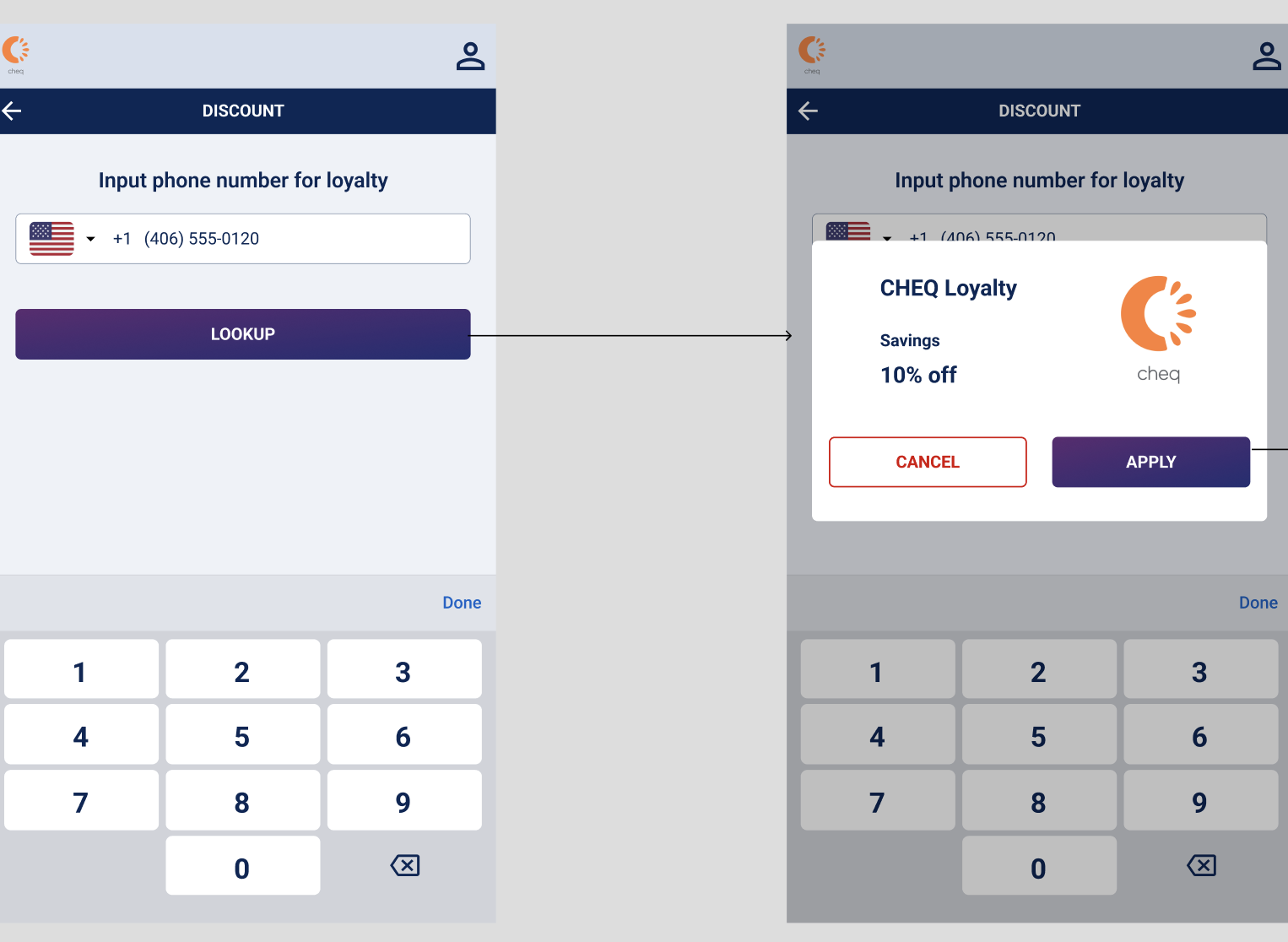
Automatically apply Cheq discounts/loyalty via Guest Phone Number
Link any Cheq discount or loyalty program to a guest’s phone number. Guests enter their number and the discount applies automatically at checkout, with no codes and no staff setup during checkout. As the admin, you’ll need to identify which discount should apply for a given guest. Contact your CSM to set it up!
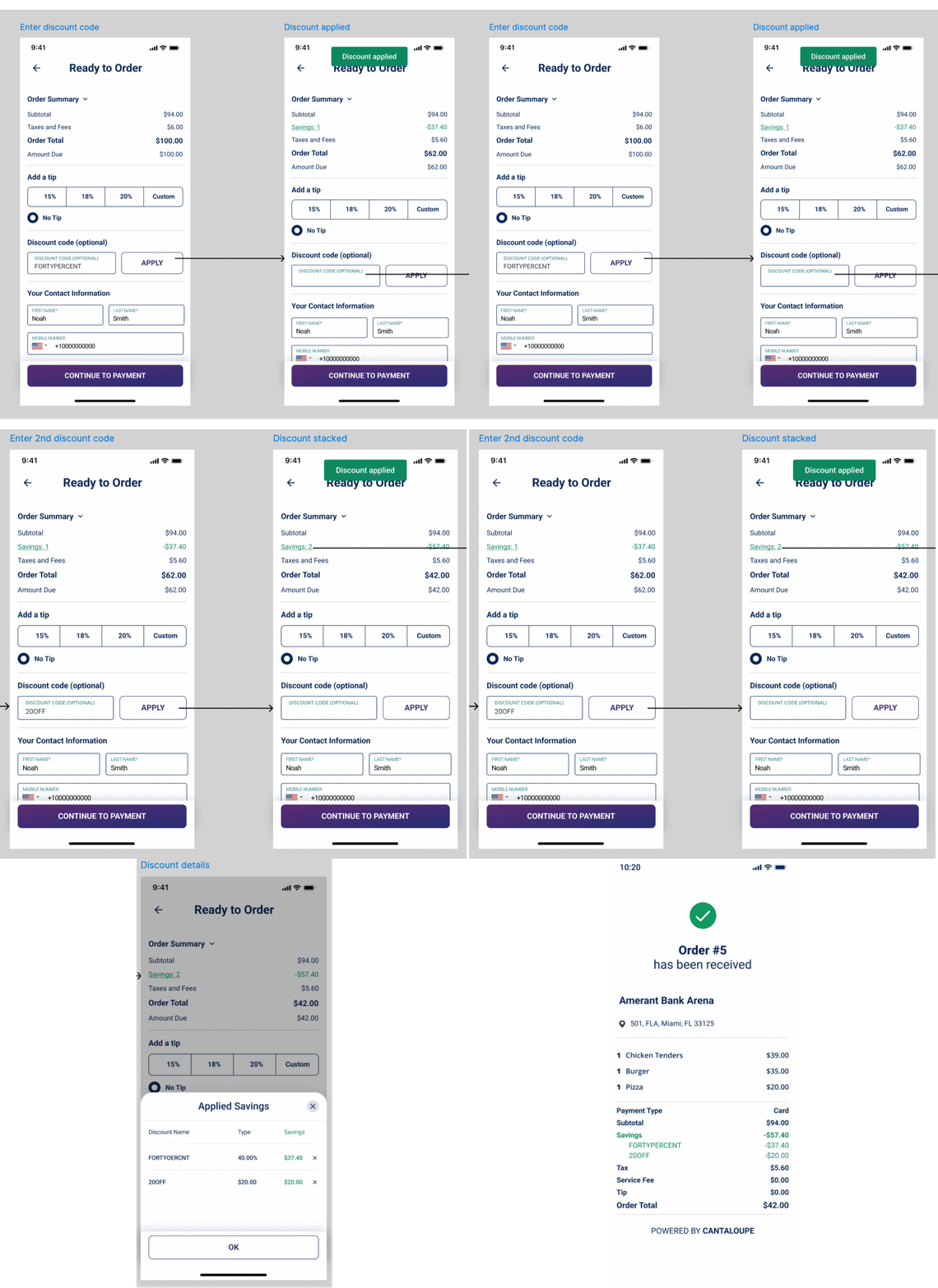
Discount stacking now available!
Guests can now combine several Cheq discounts, or a discount on top of loyalty, on POS, handheld and mobile ordering (regular orders & suites). On mobile, guests enter each code in the ‘Discount’ field.
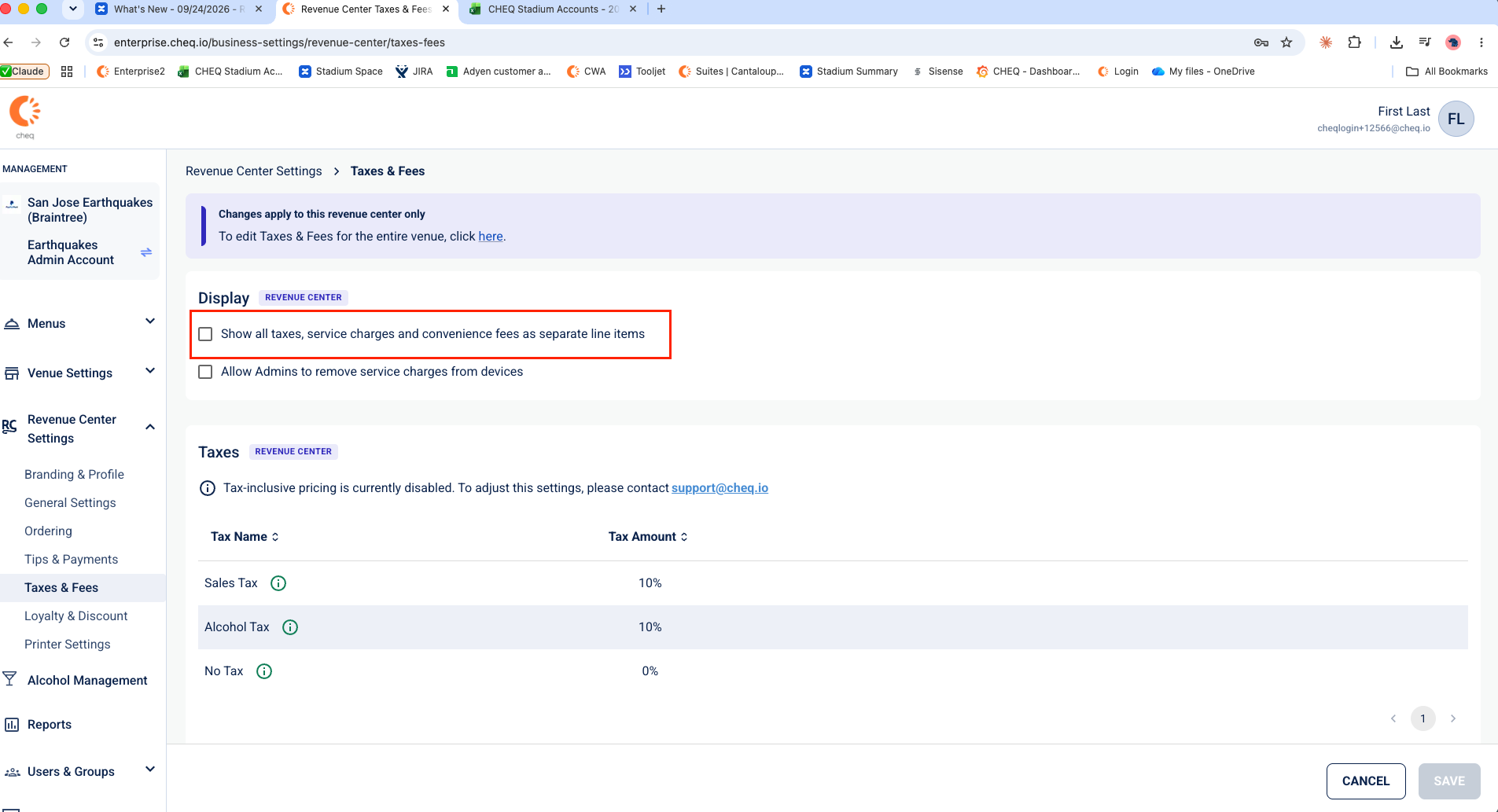
Now available: more control over how taxes and fees appear on receipts
Customize how taxes, service charges and convenience fees appear on receipts. By default, they’re bundled together under a single ‘Taxes & Fees’ line. For greater transparency, partners can itemize each charge if desired.
Platform | Ordering & Management Updates
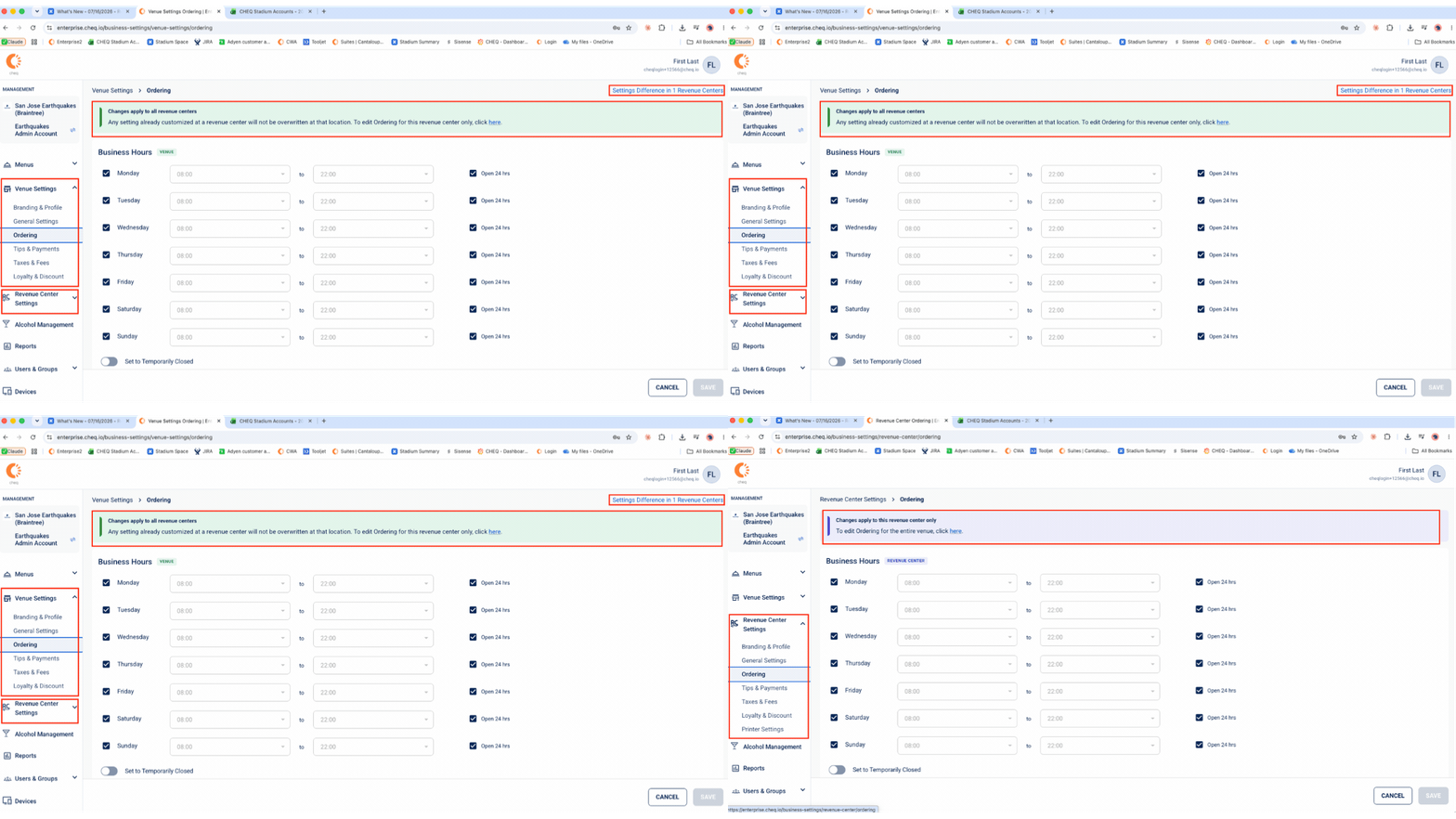
Meet E2: Manage settings by venue or Revenue Center
E2 adds a two-level structure to the Cheq Portal: Venue and Revenue Center. You can set Branding, Ordering, Tips & Payment, Taxes & fees, Loyalty & Discounts and more at either level, and see at a glance where revenue centers differ.
Menu 2.0 – SKU Filter Enhancements
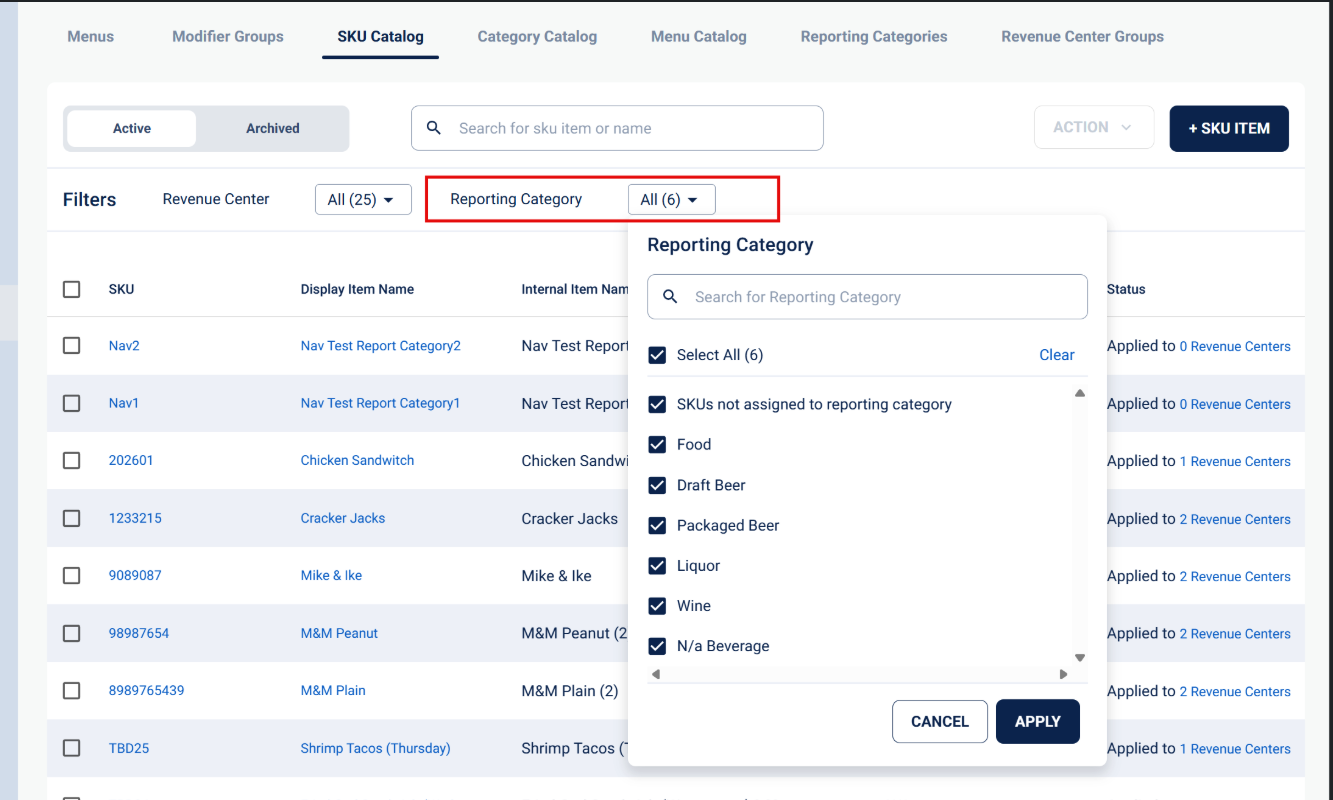
Find items faster in the SKU Catalog. Filter by reporting category, such as Canned Alcohol, to see every matching SKU at once.
Bulk import SKUs and menus
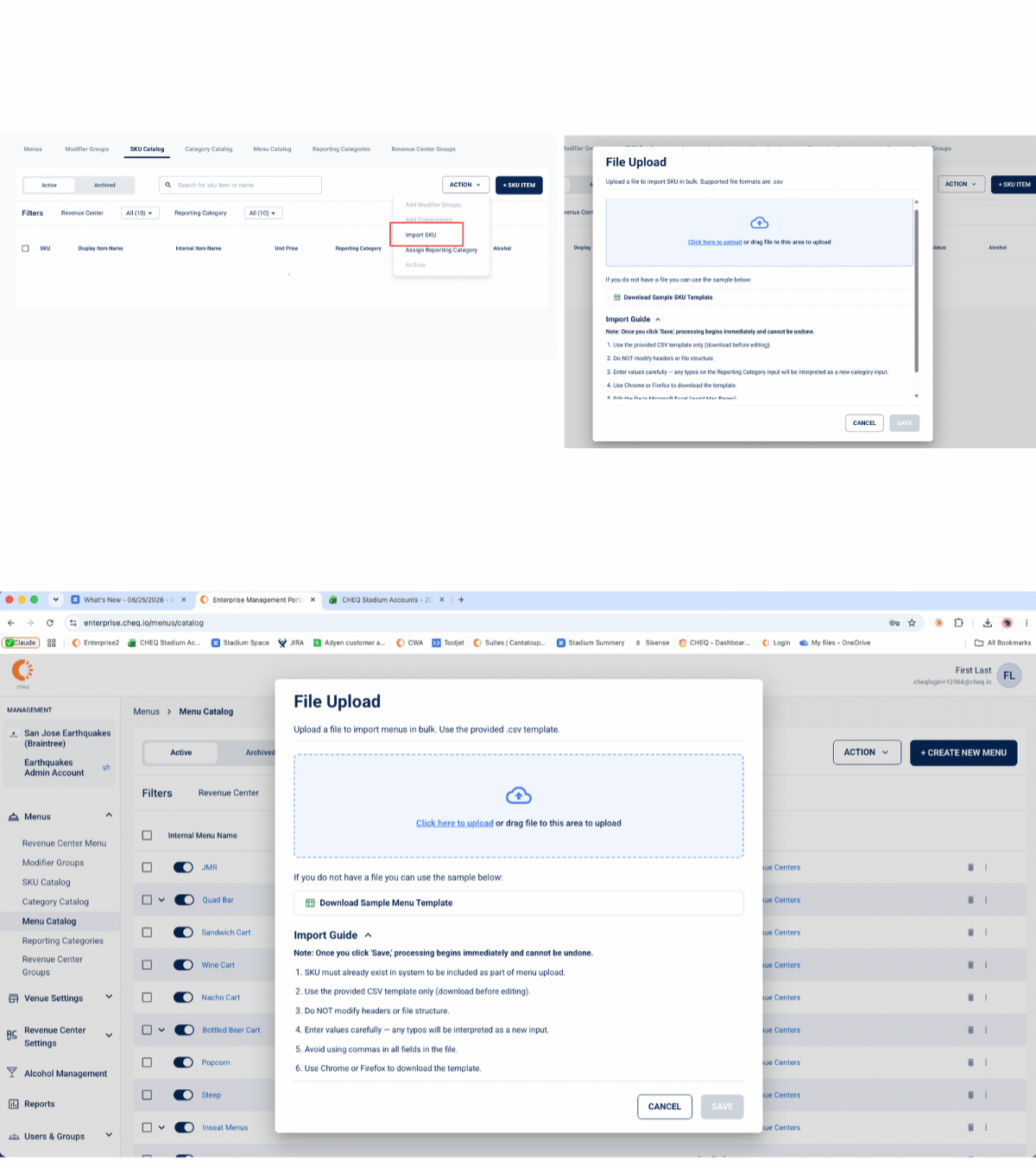
Skip manual setup by importing SKUs in bulk, or importing them straight into a menu. Use the Action button in the SKU Catalog or the Menu Catalog.
Suite Management
Filter order confirmations by Item Type
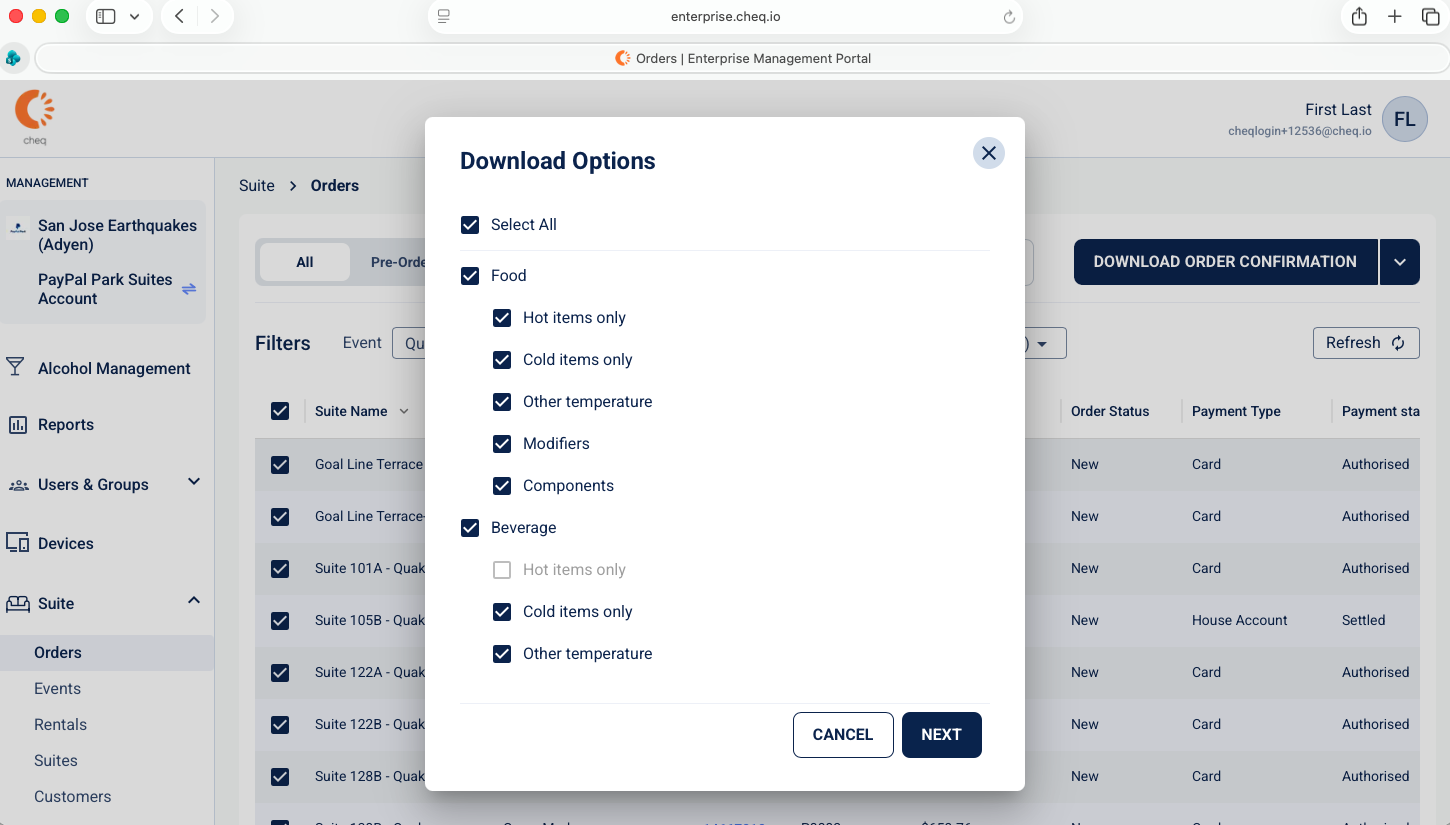
Download order confirmations with only the items your team needs: Food, Beverage or Non-F&B, hot or cold, and modifiers. After downloading, only the selected items will print on the Order Confirmation, streamlining kitchen operations.
Suite Management
Accept last minute orders with a second pre-order window
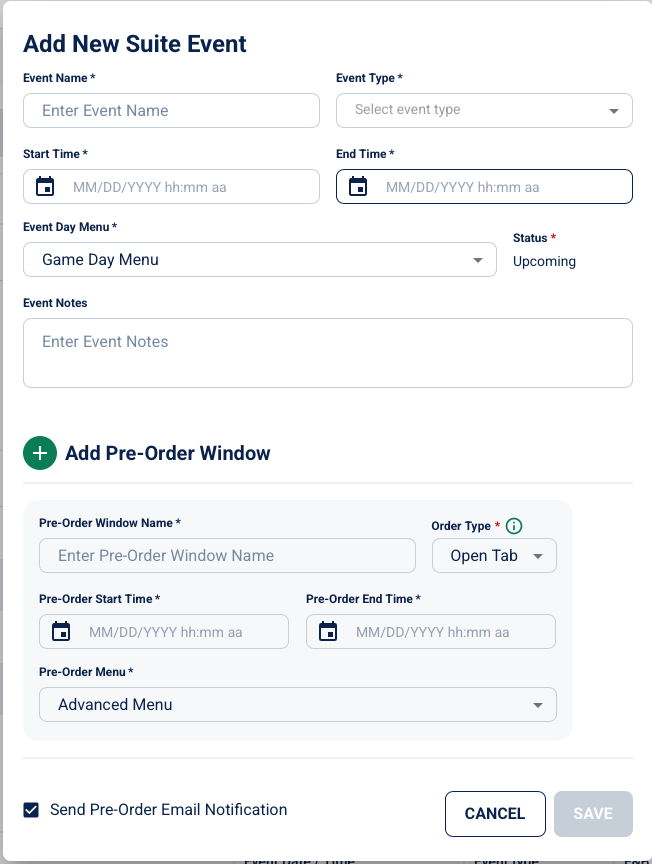
Keep taking suite orders until your event goes live without disrupting the kitchen. Set a secondary pre-order window and choose which menus stay open for late orders.
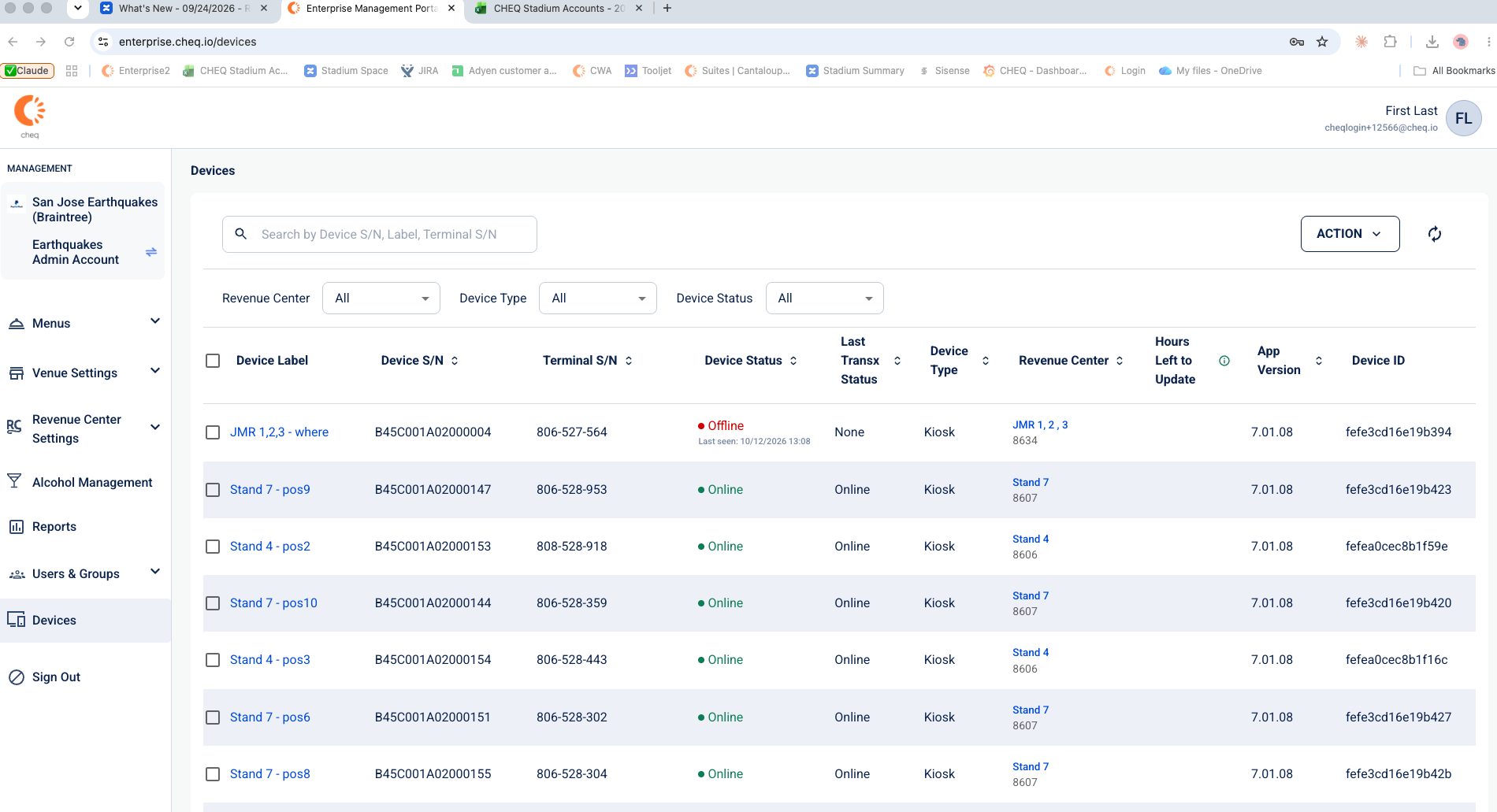
See every venue device in one place
The new Devices tab shows each device’s label, serial number, status, location, software version and more. Quickly identify offline devices, troubleshoot connectivity issues, and proactively address potential disruptions to operations.
Cheq in Action!
Cheq expands its cruise partnerships with Princess Cruises
Building on our partnership with Carnival Cruise Line at Celebration Key, Cheq is preparing to expand its technology to support Princess Cruises. The upcoming implementation will introduce new transaction capabilities, including support for NFC-enabled guest experiences, helping make ordering and payments more seamless. Click here to read more!